


Bowie-Dick Test Pack: Good practices
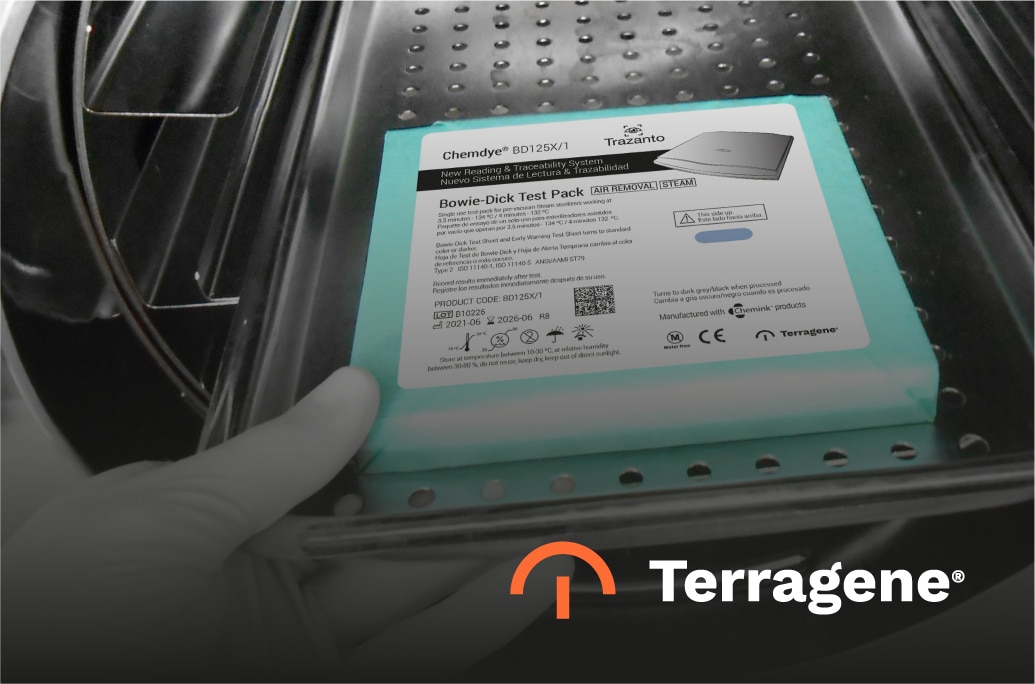
The Chemdye® Bowie-Dick Test Pack is designed to detect air leaks, inadequate air removal, and steam penetration levels in vacuum-assisted steam sterilizers. It consists of a chemical indicator sheet placed between porous material sheets, wrapped to form a package, and identified with a steam indicator label. The central sheet, with its regular pattern, corresponds to the classic Bowie-Dick indicator.
Terragene® offers different presentations of Bowie-Dick Test Packs to meet diverse market needs. Regardless of the format, proper use is essential to ensure reliable sterilization processes.
When to Use the Bowie-Dick Test Pack
The test should be performed:
- Daily, before running the first load of the day.
- After installing or relocating a sterilizer.
- Following any sterilizer malfunction or process failure.
- After major repairs to the sterilizer.
A shortened cycle (without the post-vacuum drying phase) is recommended first to properly heat up the chamber.
How to Perform the Test
- Place the Bowie-Dick Test Pack horizontally, label facing up, in an empty sterilizer chamber.
- Position it at the bottom/front of the rack, directly over the drain.
- Run the corresponding Bowie-Dick cycle.
- After completion, retrieve and examine the chemical indicator sheet.
Reading the Results
A uniform color change from yellow to dark brown/black indicates proper air removal and steam penetration.
Irregular color changes (lighter areas in the center, different colors at the edges) reveal air pockets or steam quality issues, pointing to possible sterilizer malfunction.
Examples of problems include superheated steam, non-condensable gases, residual air inside the chamber, or poor-quality wet steam.
For a more detailed guide on proper use and interpretation of results, download the official document:
Other News